

Distributed Data and Blocks
Tuning the "Chunks" of data that live on distributed file systems.

This is a continuation of this blog post.
In that post, I wrote a bit about how the layout of data on disk can impact the performance of your analytics jobs. This post will be focused on how that tactically works using open source technologies.
In this post, I’ll talk a bit about:
HDFS
Blocks + Block Size
Block sizes + tradeoffs
Background
Let’s take a step back and review what we have learned. We know that the way that data is laid out on disk can drastically affect the performance of analytics. We also know that there are a few strategies for laying data out on disk (we explored row-oriented, columnar, and hybrid models in the last post), but how is this actually relevant to us in our modern data stack?
Hadoop
To really understand what I’m about to describe, it’ll help to have some history. I’m going to start with Hadoop. If you’re reading this post, you’ve likely heard of Hadoop, but in the event you haven’t, I’m going to describe Hadoop in the Efficiently way.
Hadoop is an ecosystem of products that allow you to:
Store data in a distributed way (HDFS - Hadoop File System)
Query that data (MapReduce)
Manage compute resources for those queries (YARN)
[There is also a Commons Library and an Object store called Ozone].
For our purposes, we’re choosing to focus on HDFS, since it’s the most directly relevant piece of the partitioning ecosystem from the storage side.
HDFS
Let’s say you have an invaluable file that contains the names, addresses, and phone numbers of employees at your company.

You find this file very valuable and you want to access it from many places. Therefore, you make the logical decision to put this file somewhere that makes it easy to access. Now these are the days before Google Drive/Dropbox (kind of), so you had to build things your own way. You decide to upload this file on a server.
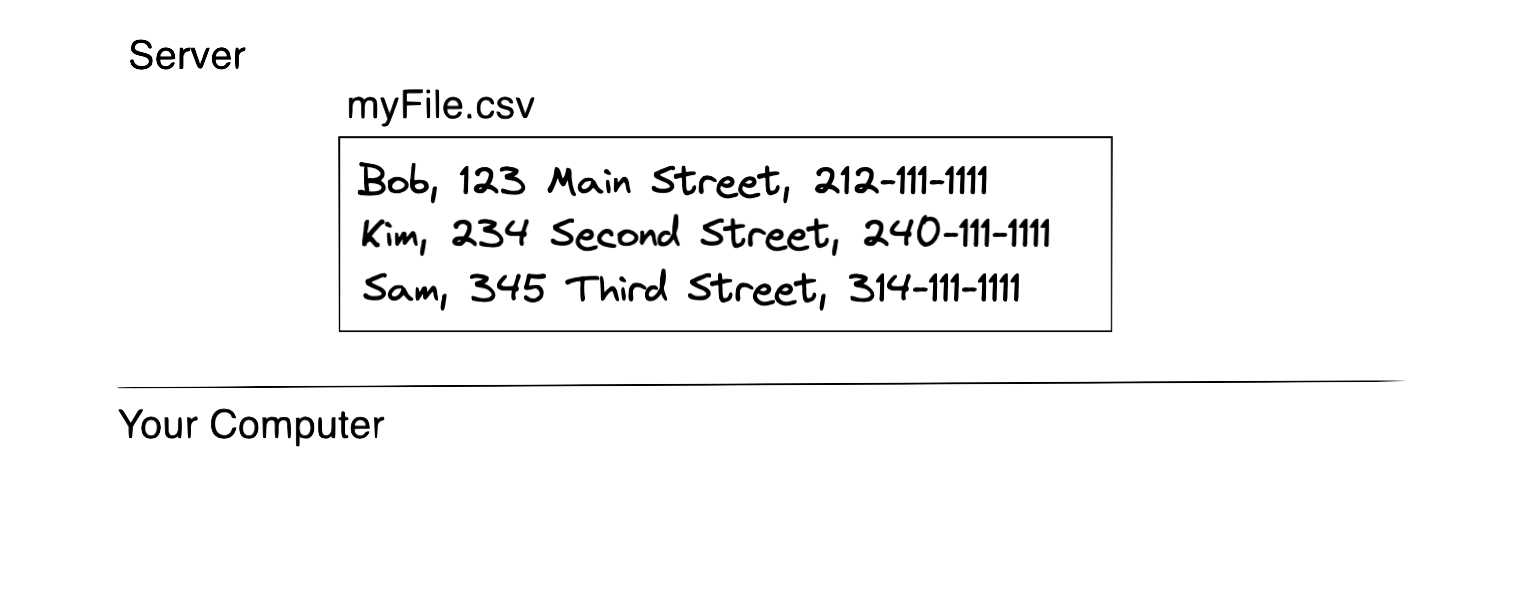
One day, you come into work and realize that the server is down! Meaning, you can’t access your file anymore. That's not good.
So, you decide that you can store 2 copies of that file on two different servers to avoid this situation from happening.
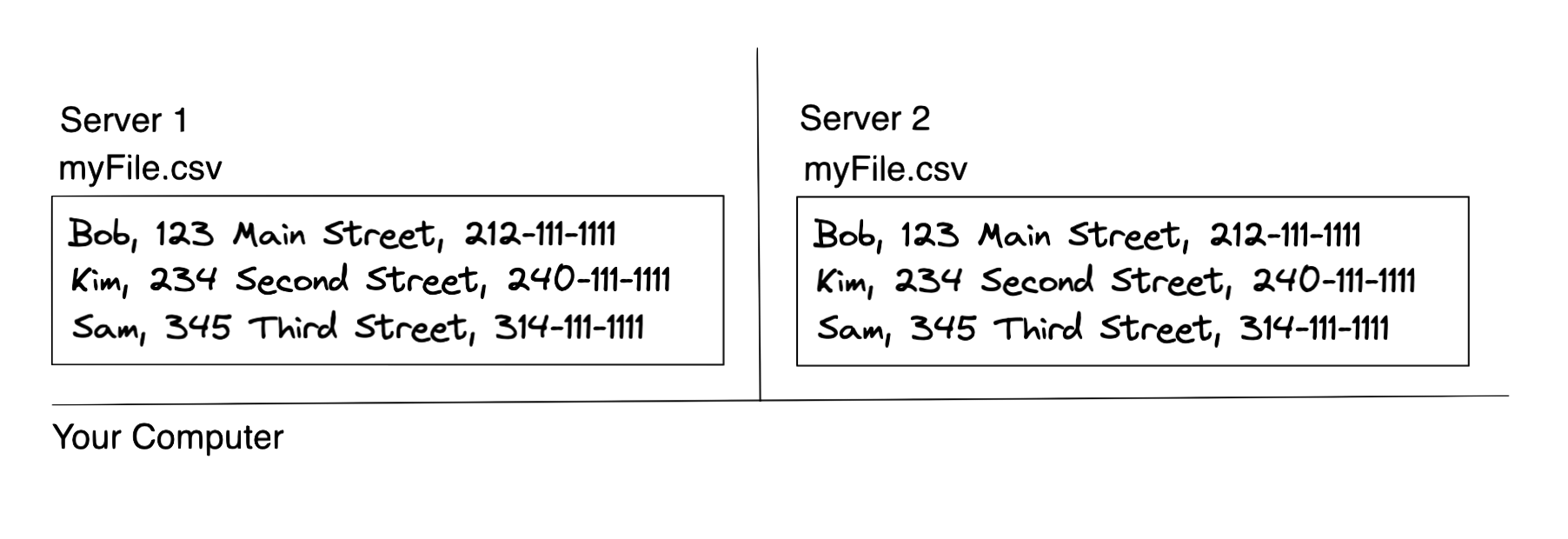
But wait, now you need to update the file… which file should be updated?
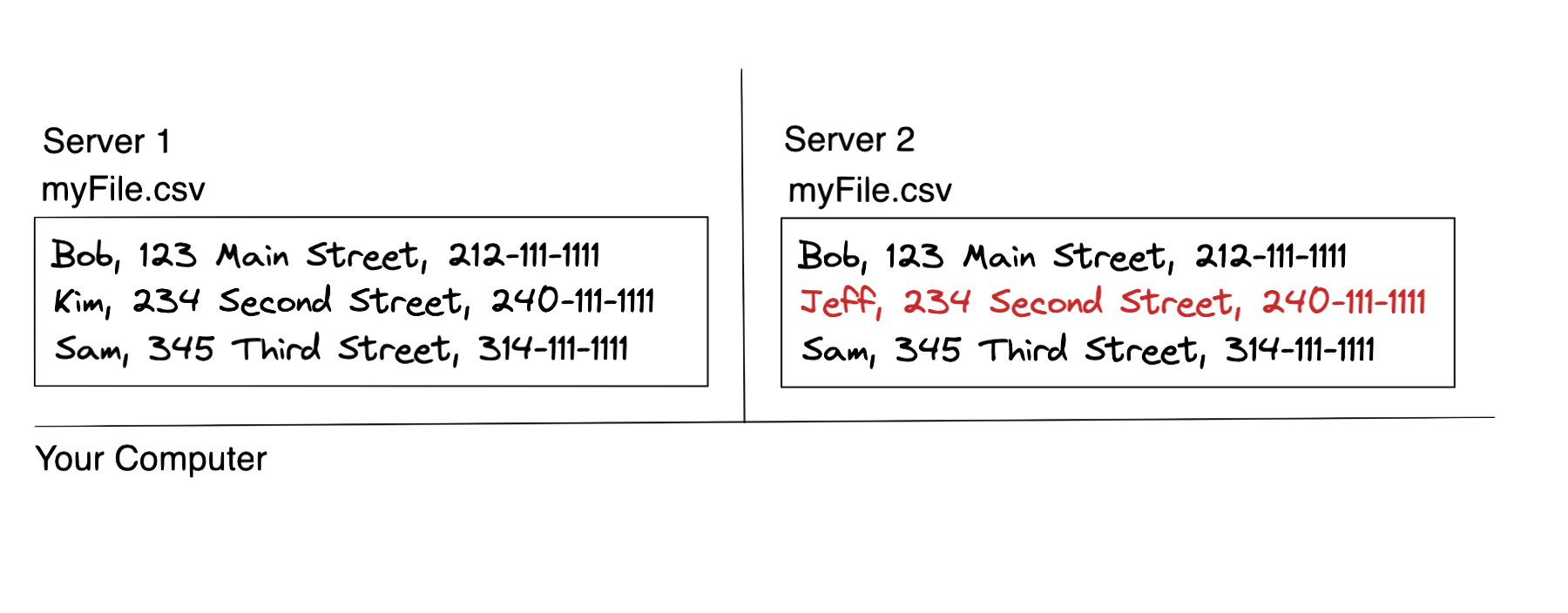
How do you keep the two in sync? Furthermore, let’s say you increase the number of people accessing/updating this file. The orchestration around all of this becomes extraordinarily difficult.
And now we have a problem.
Luckily, there are a bunch of mechanisms in HDFS that allow you to work through these challenges (which I’ll likely cover in subsequent posts).
But for now, let’s get back to partitioning.
Blocks
HDFS stores data in blocks. These are the same Blocks from the last post. They are indivisible segments of data. A block is also, just like in the last point, the minimum amount of data that Hadoop can read to do a single read. Meaning, any read requires me to read at minimum the whole block.
In order to store data into HDFS, Hadoop takes the files and divides them into blocks.
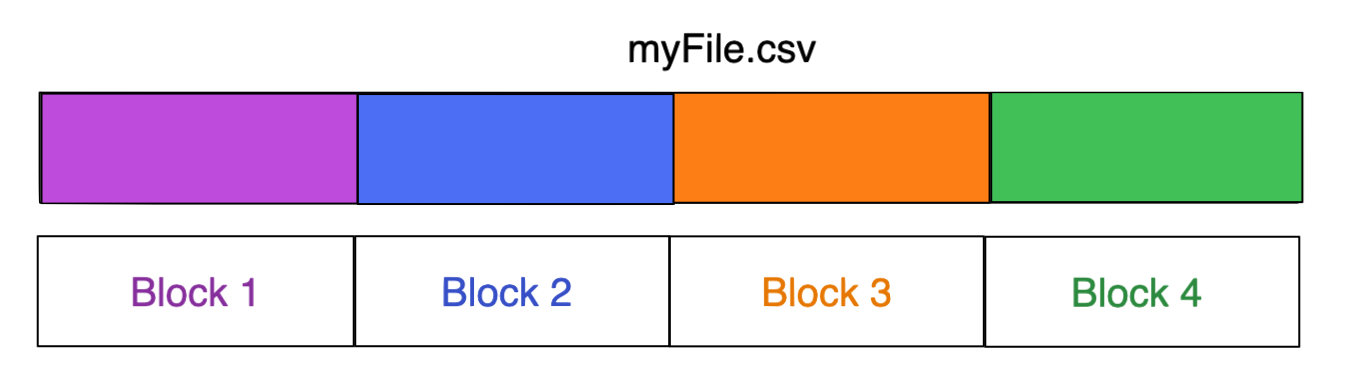
It then takes these blocks and distributes them across multiple nodes in its cluster.
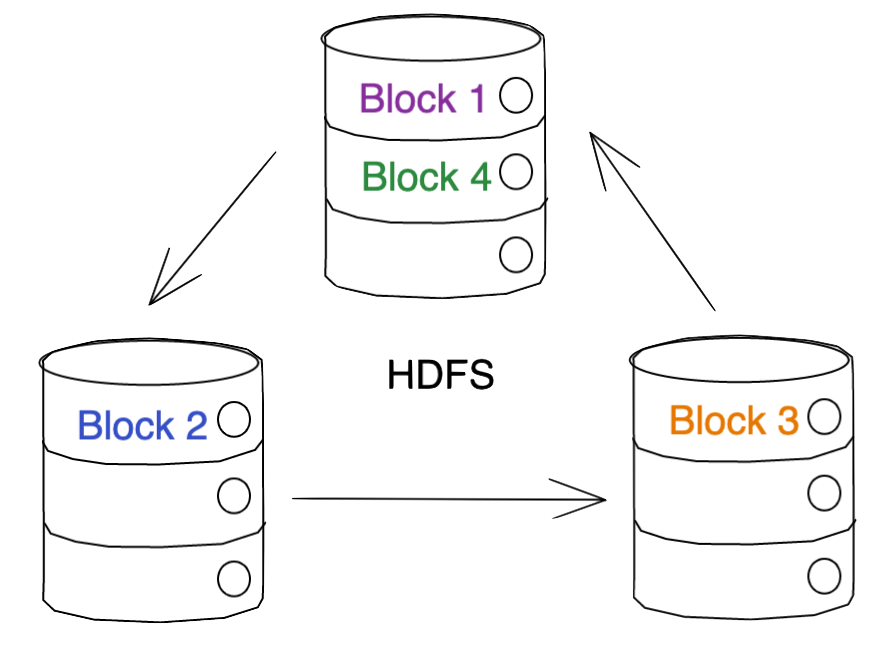
… Technically it does some replication too, so it really looks more like this in practice (depending on how many replicas you set). In the case of the below image, we’re assuming two replicas.
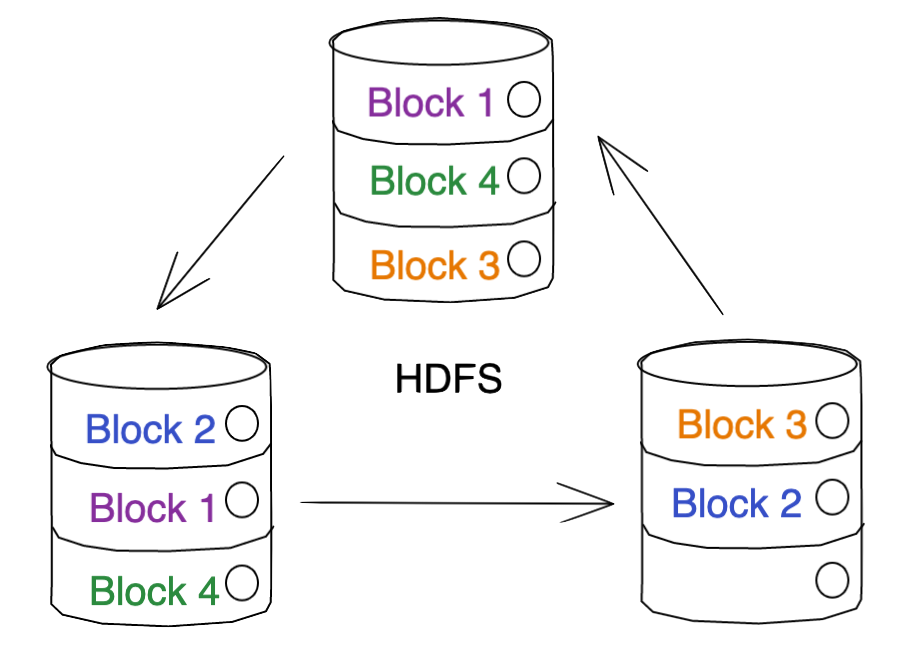
Note: Those of you experienced with HDFS will notice that my architecture diagram is intentionally simple. No Name Node / Data Nodes separation, no clients, etc.. The purpose of this guide is a description of partitioning, not a deep dive into HDFS.
Once that process is complete, your file is officially stored on HDFS. This process seems pretty straightforward and simple, but these blocks play a critical role in the performance considerations associated with reads.
Block Size
So far, we’ve glossed over a somewhat important concept. We know that files are divided into blocks… but exactly how many blocks? Are all of the blocks the same size? How big should a block be?
Let’s start with some details. The default block size in Hadoop is 128MB (it used to be 64MB). When I first heard this number, I remember thinking, “wow. that’s massive.” And at the time, it felt like it was. 128MB feels like a huge amount of data, especially when you’re working with tiny local CSVs.
That is, until data scale grew and we started seeing folks storing files that are 100s of GBs into HDFS.
The block size is configurable on a per-client basis.
Tradeoffs
Selection of the Block size affects the number of blocks that a file is “chunked” into and, as such, the number of I/O operations required to read or write the file.
Intuitively, a larger block size means the file is divided into fewer blocks, and thus requires fewer IO operations to read/write, but increases the amount of memory required to store each block in memory during processing.
Conversely, a smaller block size means the file is divided into more blocks. This means it requires more IO operations to read/write, but consumes less memory to store each block in memory during processing. This can be beneficial when working with small files (but not too small) or when performing random access on a large file. However, a smaller block size means more blocks are created, which increases the metadata overhead on the NameNode and can become a scalability bottleneck.
As an aside, there is a well-documented problem associated with having too many small files, called the small files problem. I don’t think I can do a better job of explaining why this is problematic than this article does: https://blog.cloudera.com/the-small-files-problem/
Block size also impacts HDFS’ fault tolerance, but that’s outside the scope of this article.
Tuning for Efficiency
As you’ve seen, reducing IO through partition pruning is a powerful way to query your data Efficiently. As such, selecting an optimal block size yields strong results.
Unfortunately, there isn’t a one-size-fits-all solution. Selecting a block size depends on the dataset, usage patterns, type of data, use case, and many other factors.
At a high level though, here’s what I’d recommend.
Files less than a few hundred MBs: a smaller block size, such as 64MB or even 128MB can minimize the amount of wasted space in a block.
Files that are several GB or more, a larger block size, such as 256MB or 512MB can help minimize the number of blocks generated by the “chunking” of a dataset and ideally, minimize unnecessary IO.
Disclaimer: These are just guidelines and selecting your optimal block size will likely require some testing on your side.
Feedback
Thanks for reading! I’d love any feedback. Feel free to comment below.